Extend Foldable Phone Screen Durability: 5 Crucial Settings
To significantly extend the lifespan of your foldable smartphone screen beyond 200,000 cycles, optimizing specific device settings is paramount, focusing on display refresh rates, touch sensitivity, dark mode usage, and careful software updates.
Owning a foldable smartphone is a leap into the future of mobile technology, offering unparalleled versatility and screen real estate. However, ensuring the longevity of these advanced devices, particularly extending foldable phone durability settings past 200,000 cycles, requires a proactive approach to how we manage and interact with them daily. This guide will walk you through critical settings and habits to safeguard your investment.
Understanding the Foldable Screen's Vulnerabilities
Foldable smartphone screens represent a marvel of engineering, yet their very nature introduces unique vulnerabilities compared to traditional rigid displays. The constant folding and unfolding motions, coupled with the flexible material construction, mean these screens are susceptible to wear and tear in ways conventional phones are not. Understanding these inherent weaknesses is the first step toward implementing effective protective measures and optimizing your device's settings for maximum longevity.
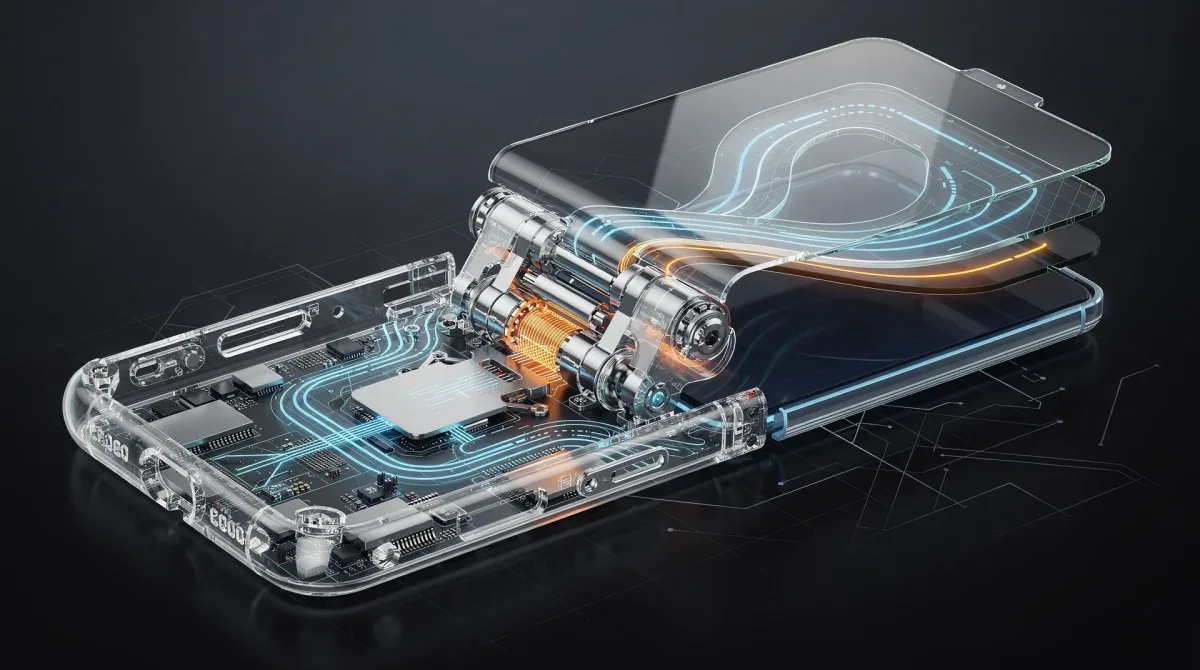
The flexible polymer layers, often protected by ultra-thin glass (UTG), are designed to bend but are not impervious to micro-abrasions, pressure points, or extreme environmental factors. The hinge mechanism, while robust, also plays a crucial role in distributing stress across the screen. Mismanagement or neglect of certain settings can inadvertently accelerate degradation, leading to premature failure of the display.
The Mechanics of Foldable Wear
Every fold and unfold cycle places mechanical stress on the screen's materials and the underlying digitizer. Over time, this repetitive action can lead to material fatigue, manifesting as creases, dead pixels, or a complete loss of touch responsiveness in affected areas. The ambient environment also contributes significantly; dust, debris, and extreme temperatures can compromise the screen's integrity and the hinge's smooth operation.
- Material Fatigue: Repetitive bending weakens polymer layers.
- Micro-Abrasions: Dust and particles can scratch the flexible surface.
- Pressure Points: Uneven pressure during folding can cause damage.
- Temperature Extremes: Can affect material flexibility and adhesion.
Moreover, the software driving the display can also impact its physical health. High refresh rates, while offering a smoother user experience, can demand more from the display's components, potentially leading to faster wear if not managed correctly. Similarly, touch sensitivity settings, if too high, might register unintended inputs, leading to unnecessary screen interactions and stress.
In conclusion, recognizing that your foldable screen is a sophisticated, yet delicate, component is key. By understanding its vulnerabilities, we can then strategically apply settings adjustments and usage habits that actively work to mitigate these risks, ensuring your device remains functional and pristine for as long as possible. This foundational knowledge empowers users to make informed decisions about their device's care.

Setting 1: Optimize Display Refresh Rate for Longevity
The display refresh rate significantly impacts both user experience and screen longevity on foldable devices. While a higher refresh rate, like 120Hz, offers incredibly smooth scrolling and animations, it also places greater stress on the display panel and consumes more battery. For extending the lifespan of your delicate foldable screen, strategically managing this setting is crucial. Lowering the refresh rate reduces the number of times the screen pixels refresh per second, thereby decreasing the overall workload and potential for wear on the flexible components.
Many foldable smartphones offer adaptive refresh rates, which automatically adjust based on the content being displayed. This is often the best compromise, offering high refresh rates when needed (e.g., gaming) and lower rates for static content (e.g., reading an e-book). However, for maximum durability, especially if you prioritize longevity over peak performance, manually setting it to a lower fixed rate, such as 60Hz or 90Hz, can be beneficial.
Balancing Performance and Protection
Consider your typical usage patterns. If you're not a heavy gamer or someone who constantly scrolls through social media, a consistently high refresh rate might be overkill and detrimental to your screen's health. The continuous flexing and refreshing cycles contribute to micro-fatigue in the screen's polymer layers, which accumulates over time. Reducing this strain can add thousands of extra cycles to your device's operational life.
- Adaptive Refresh Rate: Utilize if available, as it balances performance and efficiency.
- Manual 60Hz/90Hz: Opt for this if longevity is your primary concern.
- Monitor Usage: Be mindful of apps that demand high refresh rates unnecessarily.
To adjust this setting, navigate to your phone's 'Display settings' menu, usually under 'Screen refresh rate' or 'Motion smoothness.' Experiment with different settings to find a balance that suits your visual comfort without overstressing the display. Remember, every little bit of reduced stress contributes to the cumulative durability of your foldable screen, helping it far exceed the typical expected lifespan.
In conclusion, optimizing your display refresh rate is a simple yet powerful setting adjustment that directly contributes to the long-term health of your foldable screen. By consciously choosing a lower or adaptive rate, you are actively reducing mechanical stress and extending the operational cycles of your device, ensuring a smoother and more durable experience over time.
Setting 2: Calibrate Touch Sensitivity and Screen Protector Use
The interaction between your finger and the foldable screen is a critical factor in its long-term durability. Modern foldable displays are engineered to be responsive, but excessive force or improper screen protector use can lead to premature wear or even damage. Calibrating touch sensitivity settings and understanding the nuances of screen protectors are essential steps in preserving your device's pristine condition and extending its life past the 200,000-cycle mark.
Many foldable phones come with a pre-installed screen protector, often a specialized polymer film designed to work with the flexible display. It is generally advised not to remove this factory-installed protector unless explicitly instructed by the manufacturer, as its removal can expose the delicate screen to direct damage. If it peels or bubbles, seek professional replacement rather than attempting DIY solutions.

Adjusting Touch Sensitivity
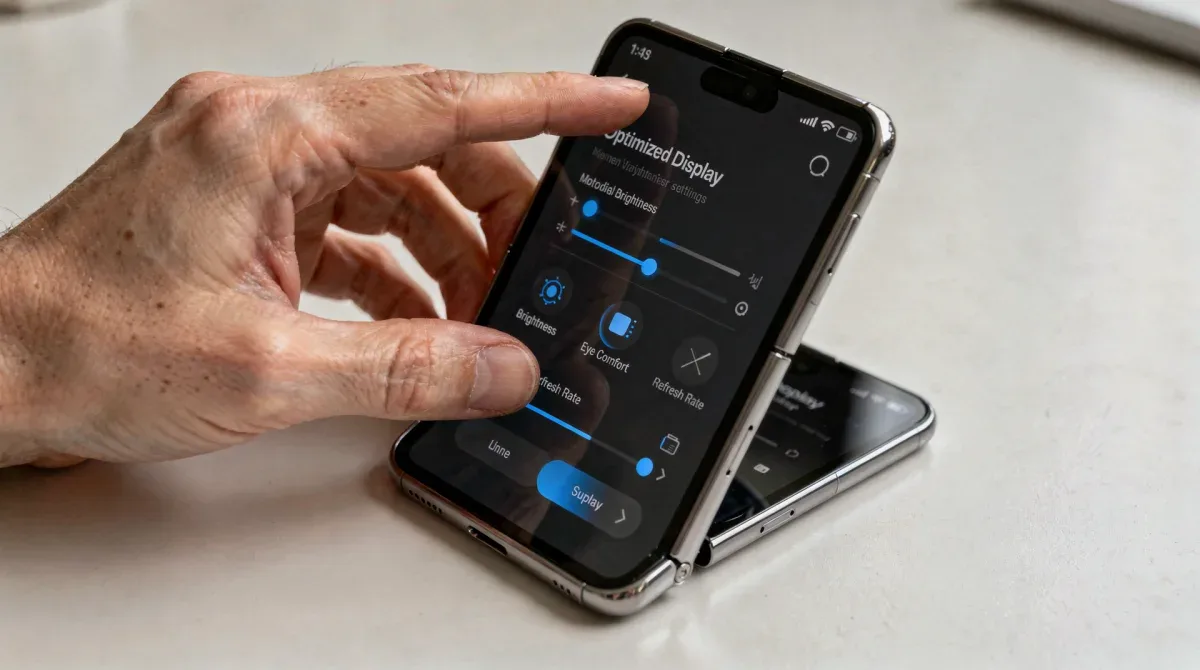
Foldable devices often include a 'Touch sensitivity' setting, particularly useful when using a screen protector. Increasing this sensitivity can make the screen more responsive to lighter touches, which in turn discourages users from pressing harder than necessary. This subtle adjustment can significantly reduce the physical stress applied to the flexible display over thousands of interactions.
To find this setting, navigate to 'Display settings' or 'Advanced features' in your phone's settings menu. Look for an option like 'Touch sensitivity' or 'Glove mode' and enable or adjust it as needed. The goal is to achieve a comfortable level of responsiveness without requiring excessive pressure, thus minimizing micro-traumas to the screen's surface.
- Enable Touch Sensitivity: Especially if using a screen protector.
- Avoid Excessive Pressure: Train yourself to use a light touch.
- Use Stylus Carefully: If applicable, ensure it's compatible and used gently.
Furthermore, avoid using sharp objects or fingernails directly on the screen, even with a protector. While resilient, the flexible surface is still more prone to indentation and scratching than rigid glass. Adopt a habit of using the pad of your finger for all interactions.
In conclusion, calibrating touch sensitivity and managing screen protector usage are fundamental to preserving your foldable display. By ensuring your screen responds to light touches and maintaining the integrity of its protective layers, you can significantly reduce wear and tear, contributing to a much longer and healthier lifespan for your innovative device.
Setting 3: Embrace Dark Mode and Lower Brightness
Adopting dark mode and consciously lowering your screen brightness are not just aesthetic choices or battery-saving tactics; they are crucial settings that can directly impact the longevity of your foldable smartphone screen. These adjustments reduce the light output from the display, which in turn lessens the workload on the OLED pixels, particularly those that are constantly flexing and unfolding. This reduction in operational stress can be a significant factor in extending the screen's durability well beyond its advertised cycle count.
OLED panels, common in foldable phones, generate light through individual pixels. When displaying bright white or light colors, these pixels work harder and generate more heat. Over time, this constant high output can lead to pixel degradation, commonly known as 'burn-in,' and can accelerate the aging process of the flexible display materials. Dark mode, by predominantly displaying black and dark colors, minimizes the activation of these pixels, especially the blue ones which are often the most prone to degradation.
The Science Behind Dark Mode Benefits
Using dark mode reduces the overall energy consumption of the display, which translates to less heat generation. Heat is a known enemy of electronic components, and flexible screens are no exception. Lowering the internal temperature of the display assembly helps preserve the integrity of the polymer layers and adhesives that hold the screen together, preventing premature delamination or material fatigue.
- Reduced Pixel Activity: Dark mode minimizes the use of power-intensive white pixels.
- Lower Heat Generation: Less light output means less stress on components.
- Mitigates Burn-in: Especially beneficial for static elements on the screen.
Similarly, reducing screen brightness, even when not in dark mode, has a direct positive impact. A lower brightness setting means each pixel is emitting less light, working less intensely, and generating less heat. While it might take some adjustment, finding the lowest comfortable brightness level for various lighting conditions can significantly prolong your display's life. Many phones offer an 'Adaptive brightness' feature, which is a good starting point, but manually tweaking it to be slightly lower than the automatic suggestion can provide additional benefits.
To enable dark mode, look for 'Dark theme' or 'Dark mode' within your 'Display settings.' For brightness, the slider is usually readily available in the quick settings panel or within 'Display settings.' Making these two simple changes can have a profound, long-term positive effect on your foldable screen's health.
In conclusion, embracing dark mode and maintaining a lower screen brightness are effective, passive ways to extend the life of your foldable display. These settings reduce the operational strain on the OLED pixels and flexible materials, helping your device maintain its visual quality and structural integrity for many more folding cycles.
Setting 4: Strategic Management of Software Updates
Software updates are essential for security patches, new features, and performance improvements, but their management on foldable smartphones requires a strategic approach to ensure screen durability. While updates generally aim to optimize device performance, poorly managed or rushed updates can sometimes introduce bugs that affect display drivers, touch responsiveness, or even hinge calibration, indirectly impacting the screen's longevity. Therefore, a cautious and informed approach to software updates is vital for foldable phone owners seeking to extend their device's life beyond 200,000 cycles.
Major operating system updates, in particular, can sometimes alter how the display hardware is managed. Changes to display refresh rate algorithms, touch input processing, or even power management profiles can inadvertently place different or increased stresses on the flexible screen. It’s not uncommon for early versions of new OS releases to have optimization issues that are later patched. This is why immediate adoption of every update might not always be the safest bet for foldable screens.
Best Practices for Update Installation
Instead of automatically installing every update the moment it's released, consider waiting a few days or even a week. Monitor user forums and tech news for reports on the update's stability, particularly concerning display-related issues. If widespread problems are reported, it might be prudent to delay the update until a hotfix or a more stable version is released. This proactive monitoring can save your screen from potential software-induced stress.

- Delay New Updates: Wait for user feedback on stability.
- Backup Regularly: Before any major update, back up your device.
- Check Release Notes: Understand what changes are being implemented.
Furthermore, ensure your device is fully charged before initiating any update to prevent interruptions that could corrupt the installation. A corrupted update can lead to software glitches that manifest as display anomalies or unresponsiveness, potentially requiring a factory reset which is an inconvenience you want to avoid.
In conclusion, strategic management of software updates is a nuanced but important aspect of foldable screen durability. By exercising caution, monitoring community feedback, and ensuring proper installation conditions, you can mitigate risks associated with software changes, thereby contributing to the long-term health and functionality of your foldable device's display.
Setting 5: Optimize for Minimal Screen-On Time and Auto-Lock
Minimizing screen-on time and utilizing aggressive auto-lock settings are often overlooked yet highly effective strategies for extending the life of your foldable smartphone screen. Every second the screen is active, its pixels are working, consuming power, and generating heat, contributing to the cumulative wear and tear on the flexible display. By reducing unnecessary screen activation and ensuring the device locks promptly when not in use, you significantly decrease the operational strain on the display, helping it surpass the 200,000-cycle durability threshold.
Think of screen-on time as a direct correlate to the number of operational hours your display accrues. Just like any mechanical component, the more it operates, the closer it gets to its end-of-life cycle. For foldable screens, which are inherently more delicate due to their flexible nature, reducing this operational time is even more critical. This doesn't mean you should avoid using your phone, but rather be mindful of how long the screen remains active when you're not actively interacting with it.
Configuring Auto-Lock for Longevity
Most smartphones allow you to set an auto-lock or 'Screen timeout' duration. For foldable devices, it is highly recommended to set this to the shortest comfortable period, typically 15 or 30 seconds. This ensures that if you place your phone down or get distracted, the screen will turn off quickly, conserving battery and reducing display wear. While a few seconds might seem negligible, these add up to hours and days of reduced screen activity over the device's lifespan.
- Short Screen Timeout: Set to 15 or 30 seconds.
- Utilize Proximity Sensor: Ensure it works correctly to turn off the screen during calls.
- Minimize Background Activity: Apps running in the background can sometimes keep the screen active.
Beyond auto-lock, cultivating habits like manually pressing the power button to turn off the screen immediately after use can further contribute to longevity. Avoid leaving your phone screen-on unnecessarily while charging, listening to audio, or when you're simply not looking at it. These small behavioral adjustments, combined with optimized settings, create a comprehensive approach to screen preservation.
In conclusion, optimizing for minimal screen-on time and employing aggressive auto-lock settings are simple yet profoundly effective ways to extend the durability of your foldable smartphone screen. By reducing the cumulative operational hours of the display, you minimize pixel degradation and material fatigue, ensuring your device remains vibrant and functional for many more years of folding and unfolding.
Beyond Settings: Best Practices for Physical Care
While optimizing settings is crucial, extending your foldable smartphone's screen durability past 200,000 cycles also heavily relies on consistent physical care. The flexible nature of these displays makes them more susceptible to external factors than traditional rigid screens. Integrating best practices for handling, cleaning, and protecting your device is paramount to complement software adjustments and safeguard your investment over the long term. These practices form a holistic approach to maintaining the pristine condition and functionality of your cutting-edge technology.
The hinge mechanism, often exposed, is a common entry point for dust and debris. Even microscopic particles can cause internal damage or lead to gritty sounds during folding, indicating potential wear. Regular, gentle cleaning of the hinge area, as well as the screen itself, can prevent such issues. Using a soft, lint-free microfiber cloth is essential, avoiding abrasive materials or harsh chemicals that could degrade the screen's protective layers or coatings.
Daily Habits for Enhanced Durability
How you handle your foldable phone daily makes a significant difference. Avoid applying excessive pressure when opening or closing the device. Let the hinge do its work smoothly. Never force it open beyond its natural stopping point. When placing the phone in a bag or pocket, ensure it's free from sharp objects like keys or coins that could scratch or dent the screen or hinge. A dedicated phone pouch or a separate pocket can provide crucial protection.
- Gentle Handling: Always open and close the device smoothly.
- Clean Regularly: Use a soft, lint-free cloth for screen and hinge.
- Protective Case: Invest in a case designed specifically for foldables.
Furthermore, be mindful of environmental conditions. Extreme temperatures, both hot and cold, can affect the flexibility of the screen materials. Avoid leaving your foldable phone in direct sunlight, in a hot car, or in extremely cold environments for extended periods. Humidity can also be a factor, so keep your device in dry conditions as much as possible.
Finally, if your device includes water or dust resistance ratings, understand their limitations. These ratings provide a level of protection but do not make the device impervious to damage from prolonged exposure. Treat these features as safeguards, not an invitation for carelessness.
In conclusion, while software settings play a vital role, consistent physical care is the bedrock of extending your foldable screen's durability. By adopting gentle handling, regular cleaning, and awareness of environmental factors, you create an optimal environment for your device to thrive, ensuring its advanced display remains functional and beautiful for years to come.
| Key Setting | Durability Impact |
|---|---|
| Refresh Rate | Lowers mechanical stress on flexible display; reduces pixel fatigue. |
| Touch Sensitivity | Prevents excessive pressure, minimizing micro-traumas to screen. |
| Dark Mode/Brightness | Reduces pixel degradation and heat generation, prolonging display life. |
| Screen-On Time | Minimizes overall operational hours, reducing cumulative wear and tear. |
Frequently asked questions about foldable screen durability
How often should I clean my foldable screen?▼You should clean your foldable screen regularly, ideally daily or every other day, with a soft, lint-free microfiber cloth. Focus on gently wiping away dust and fingerprints from the screen and around the hinge area to prevent debris from causing micro-scratches or interfering with the folding mechanism. Avoid harsh chemicals.
Is it safe to use a third-party screen protector on a foldable phone?▼It is generally not recommended to use third-party screen protectors unless they are specifically designed and approved for your foldable model by the manufacturer. Many foldable phones come with a factory-installed protector crucial for screen integrity. Removing it or applying an incompatible one can void warranties or damage the delicate display.
Can extreme temperatures affect my foldable screen's lifespan?▼Yes, extreme temperatures can significantly impact a foldable screen's lifespan. Both very high and very low temperatures can affect the flexibility of the display materials and the performance of the adhesives, potentially leading to material fatigue, cracking, or delamination. Always try to keep your device within its recommended operating temperature range.
Does using dark mode really help extend screen durability?▼Yes, using dark mode can help extend screen durability, especially on OLED foldable displays. Dark mode reduces the number of pixels actively emitting light, particularly white pixels which consume more power and generate more heat. This lessens the overall workload on the display, mitigating pixel degradation, reducing heat, and minimizing the risk of burn-in over time.
What is the most important setting for foldable screen longevity?▼While all settings are important, optimizing the display refresh rate and managing screen-on time are arguably the most crucial. Reducing the refresh rate minimizes mechanical stress on the flexible display, and a shorter screen-on time reduces cumulative operational hours, both directly contributing to extending the screen's physical lifespan and preventing premature wear and tear.
Conclusion
Extending the durability of your foldable smartphone screen beyond 200,000 cycles is not merely a matter of luck but a direct result of informed usage and proactive management. By diligently applying these five crucial settings—optimizing refresh rates, calibrating touch sensitivity, embracing dark mode, strategically managing software updates, and minimizing screen-on time—you actively contribute to the longevity and pristine condition of your innovative device. These adjustments, coupled with consistent physical care, form a comprehensive strategy to safeguard your investment, ensuring your foldable phone remains a reliable and captivating piece of technology for years to come. The future of mobile is in your hands, and with these practices, it will stay there longer.
